Self check-in kiosk for barbershops
★★★★★4.8 on Trustpilot·11K+ barbers
Put a tablet at the entrance and clients check themselves in. Their number goes to the TV and to your team's phones.
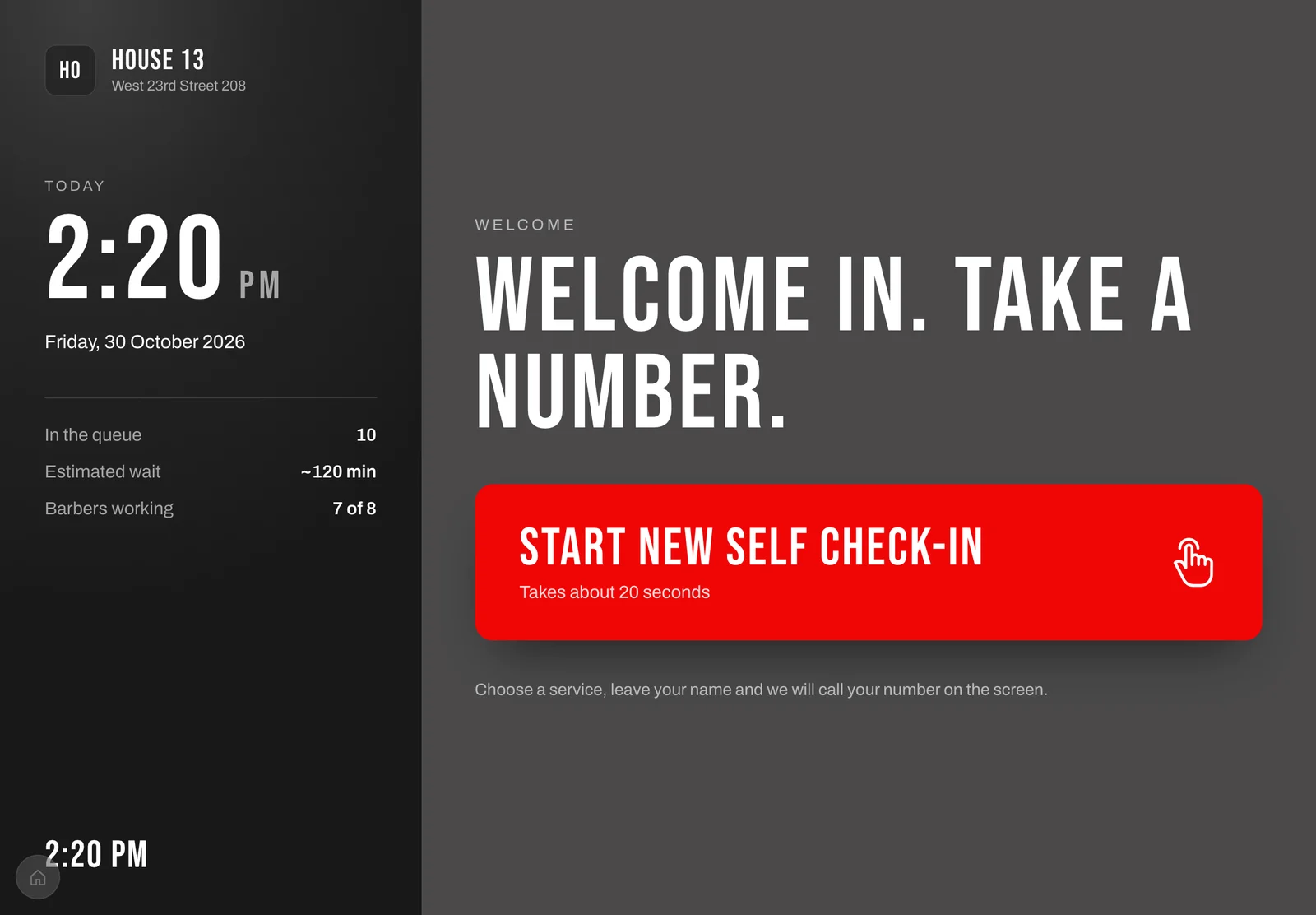
Put a tablet at the entrance and clients check themselves in. Their number goes to the TV and to your team's phones.
Four screens, under a minute.
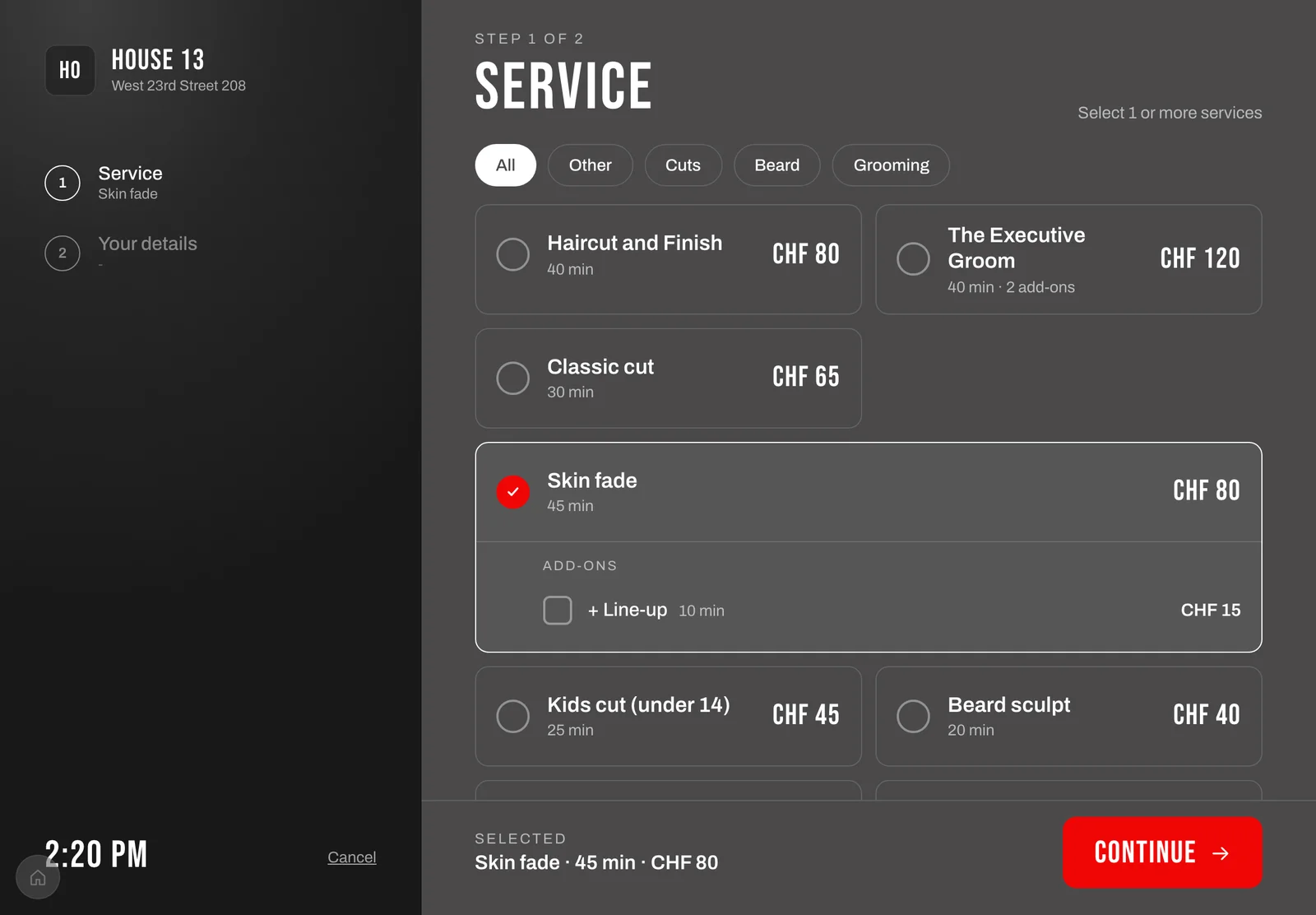
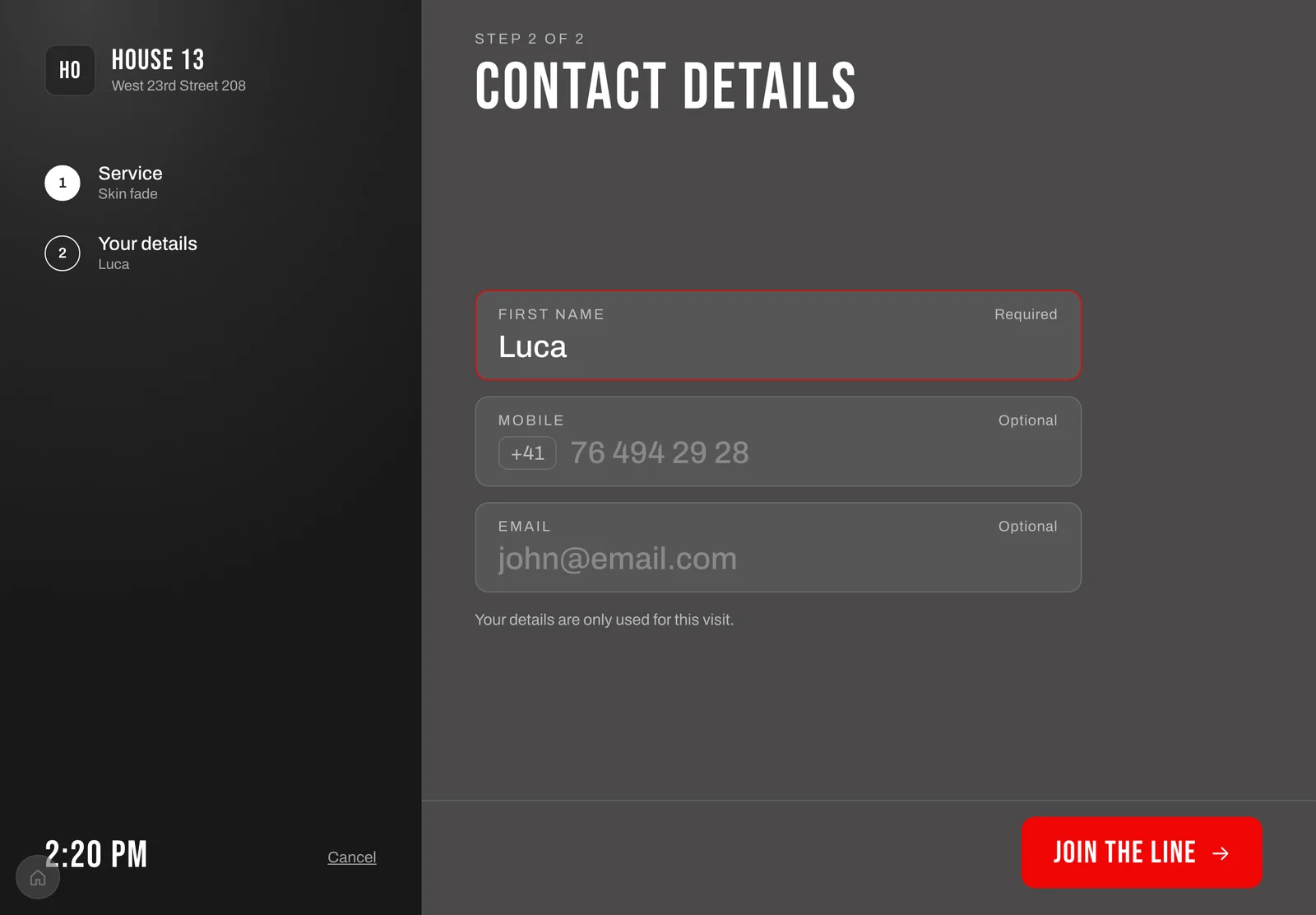
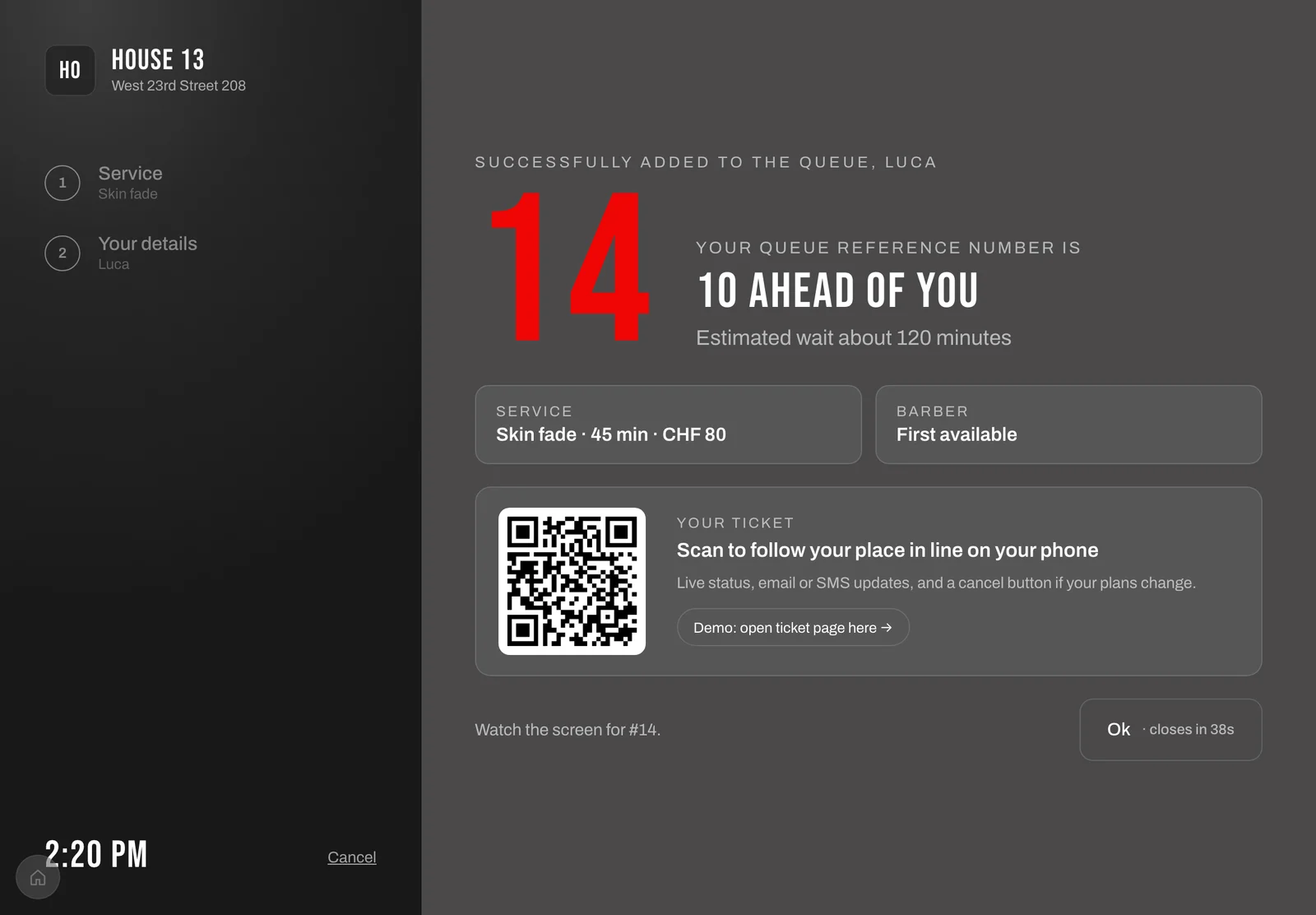
The client sees a number, how many are ahead and the estimated wait. A QR code opens the ticket on the phone with a reminder sign-up.
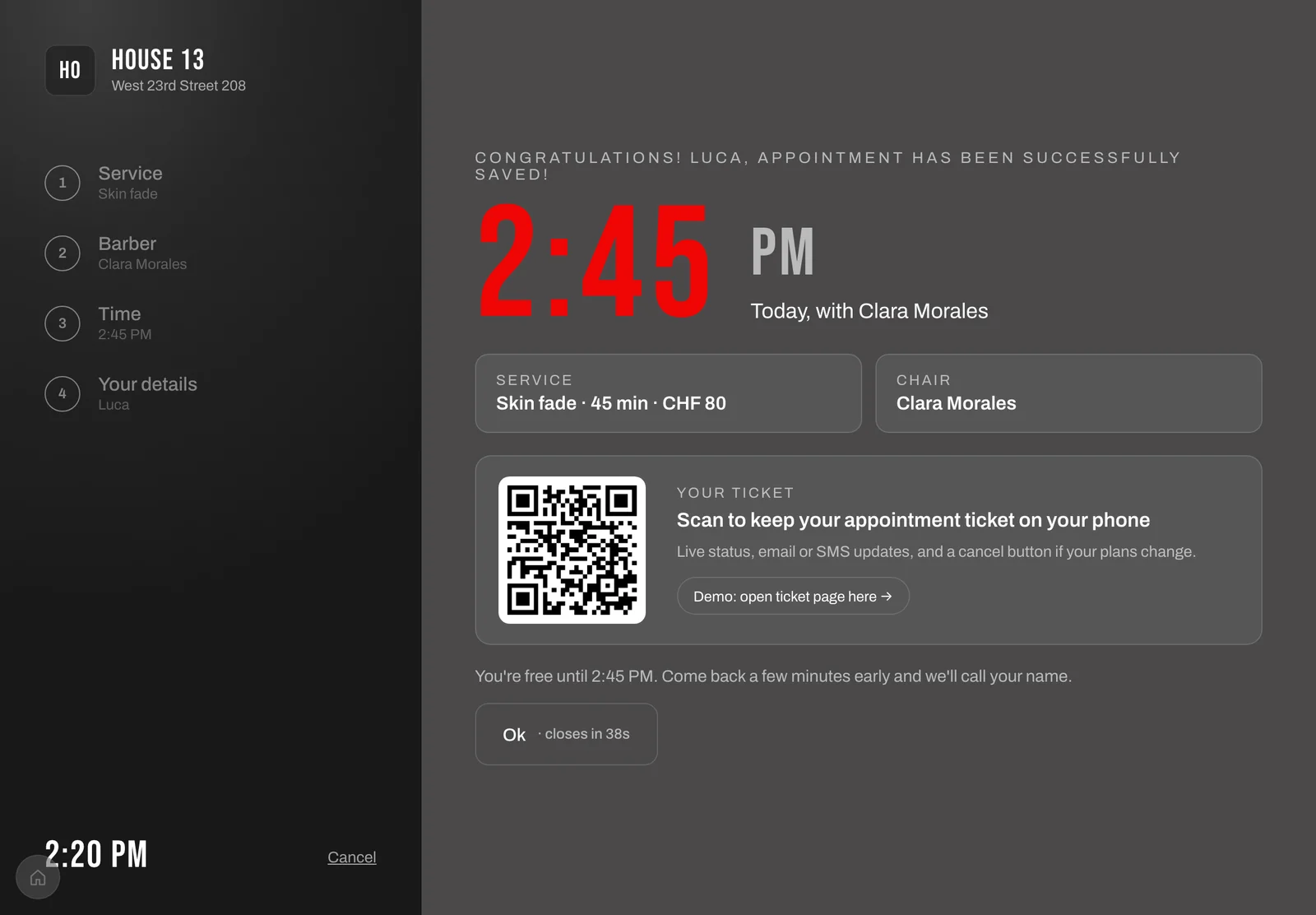
The client picks a barber and a free time today, and comes back at that time. The visit lands on the board like any other booking.
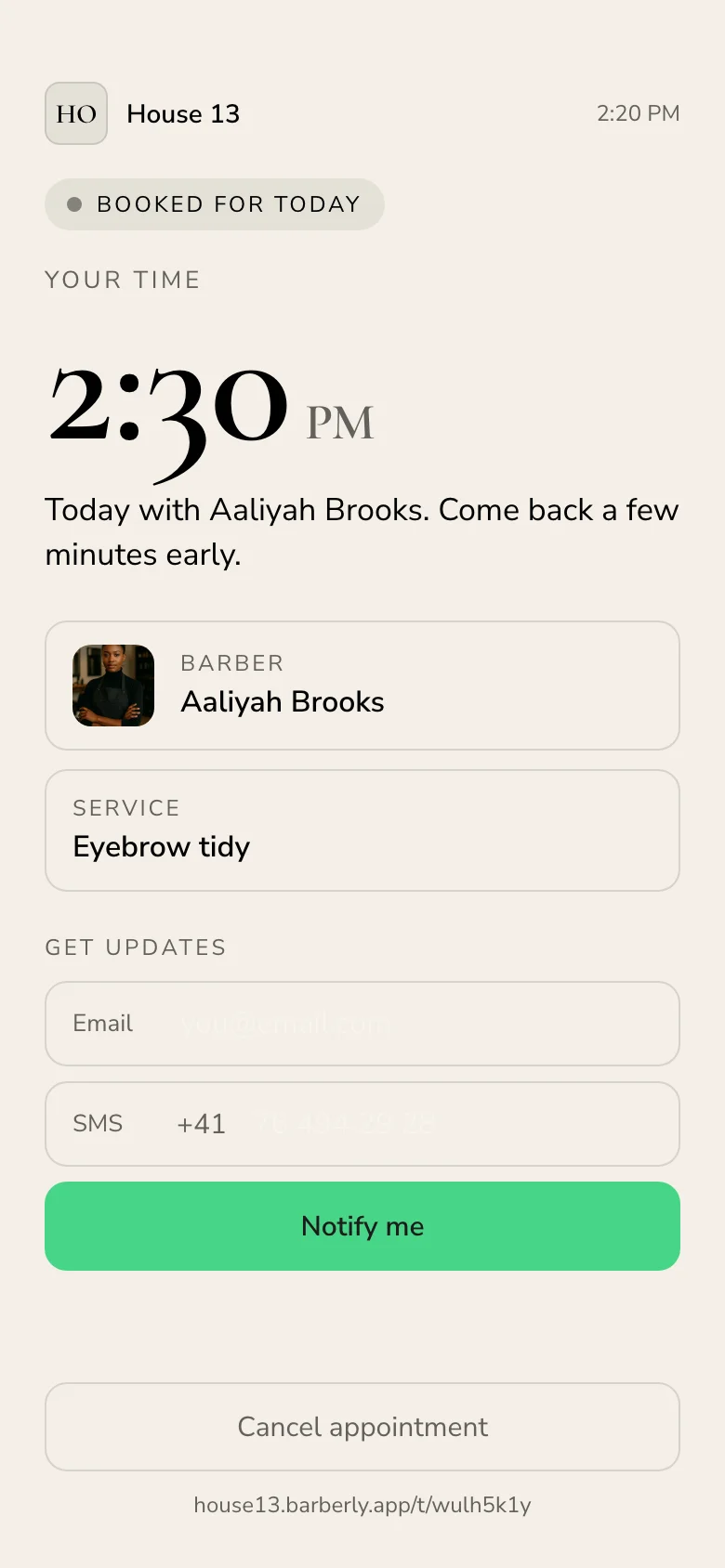
After check-in the client scans the code on the kiosk. The ticket shows the number or the time, the barber and the live status. Nothing to install.
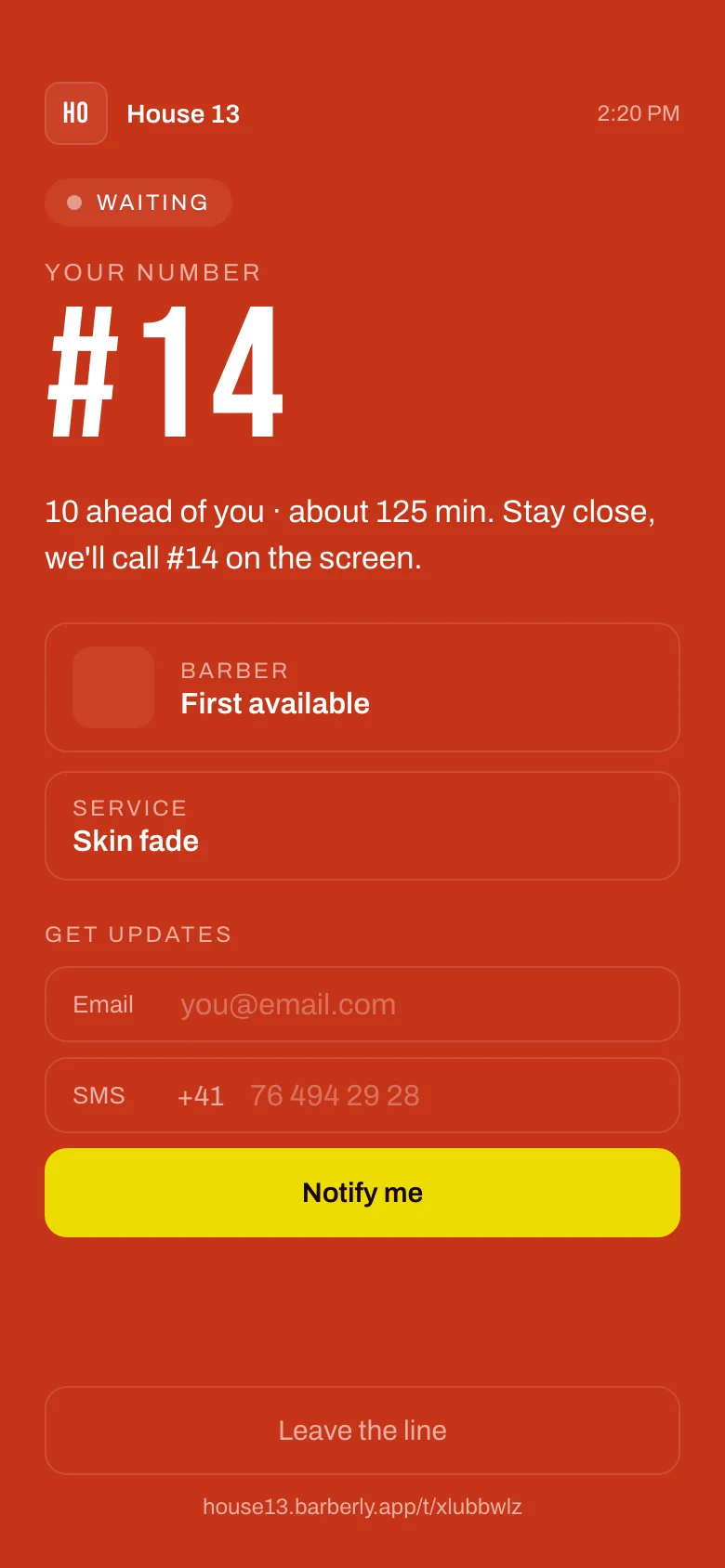
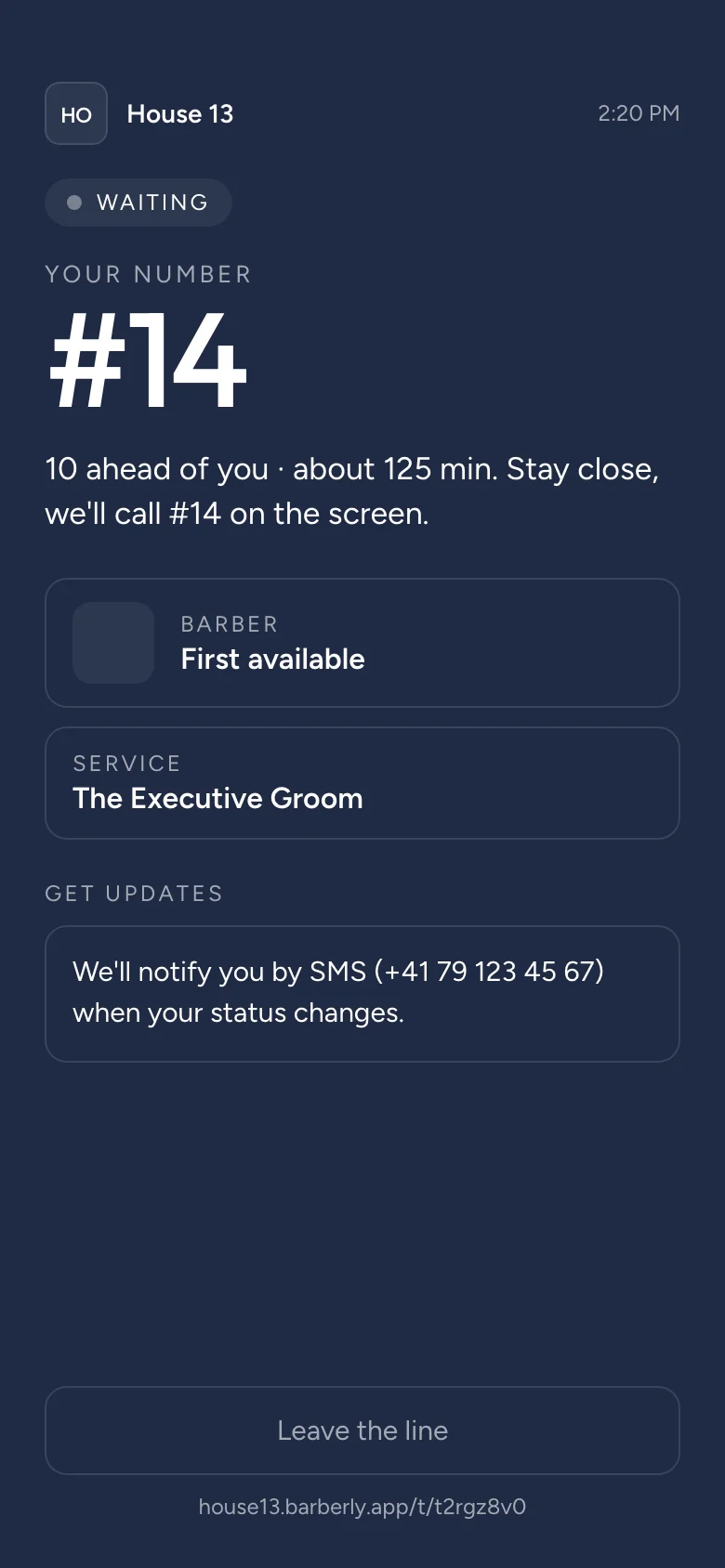
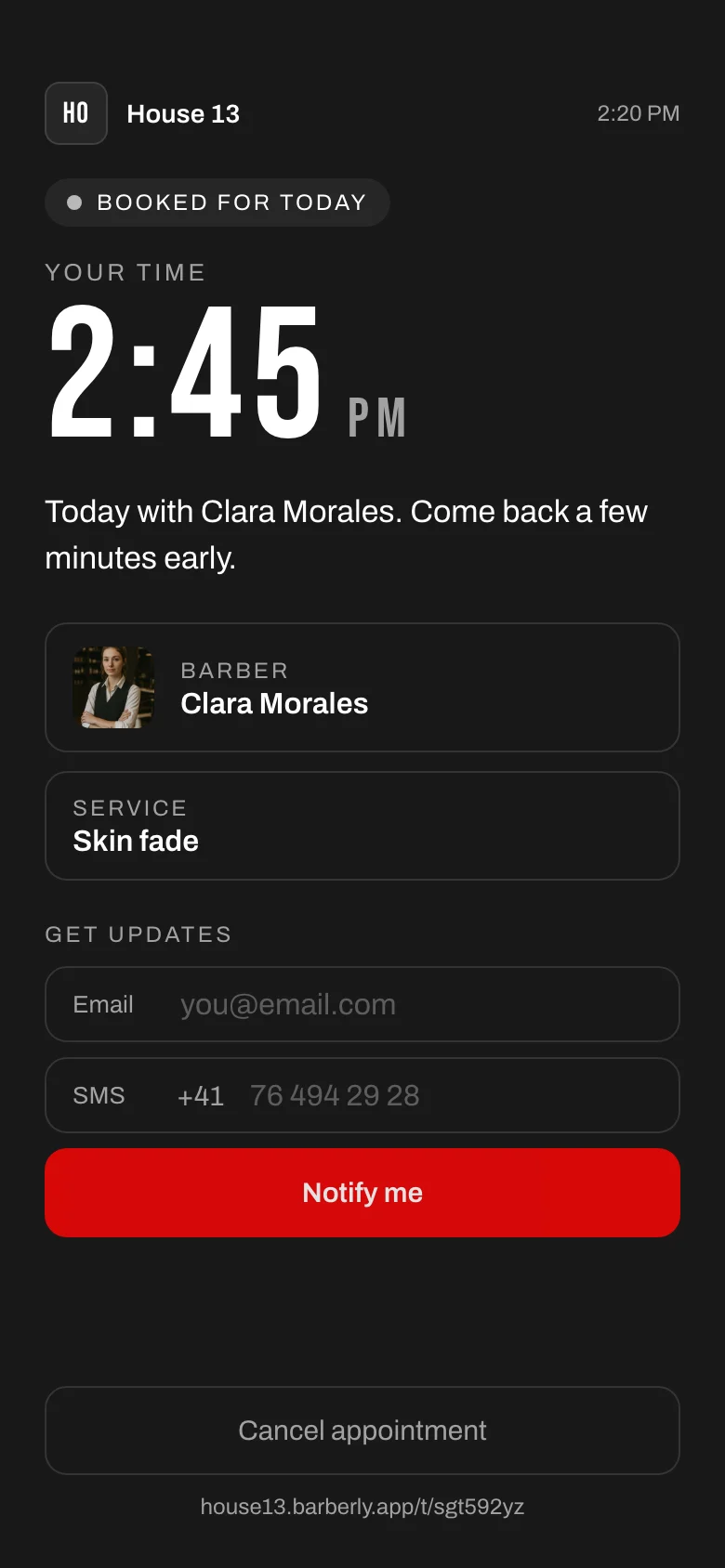
Pick a theme, then set your colours, logo, fonts and every text on the screen. The kiosk speaks 20 languages.
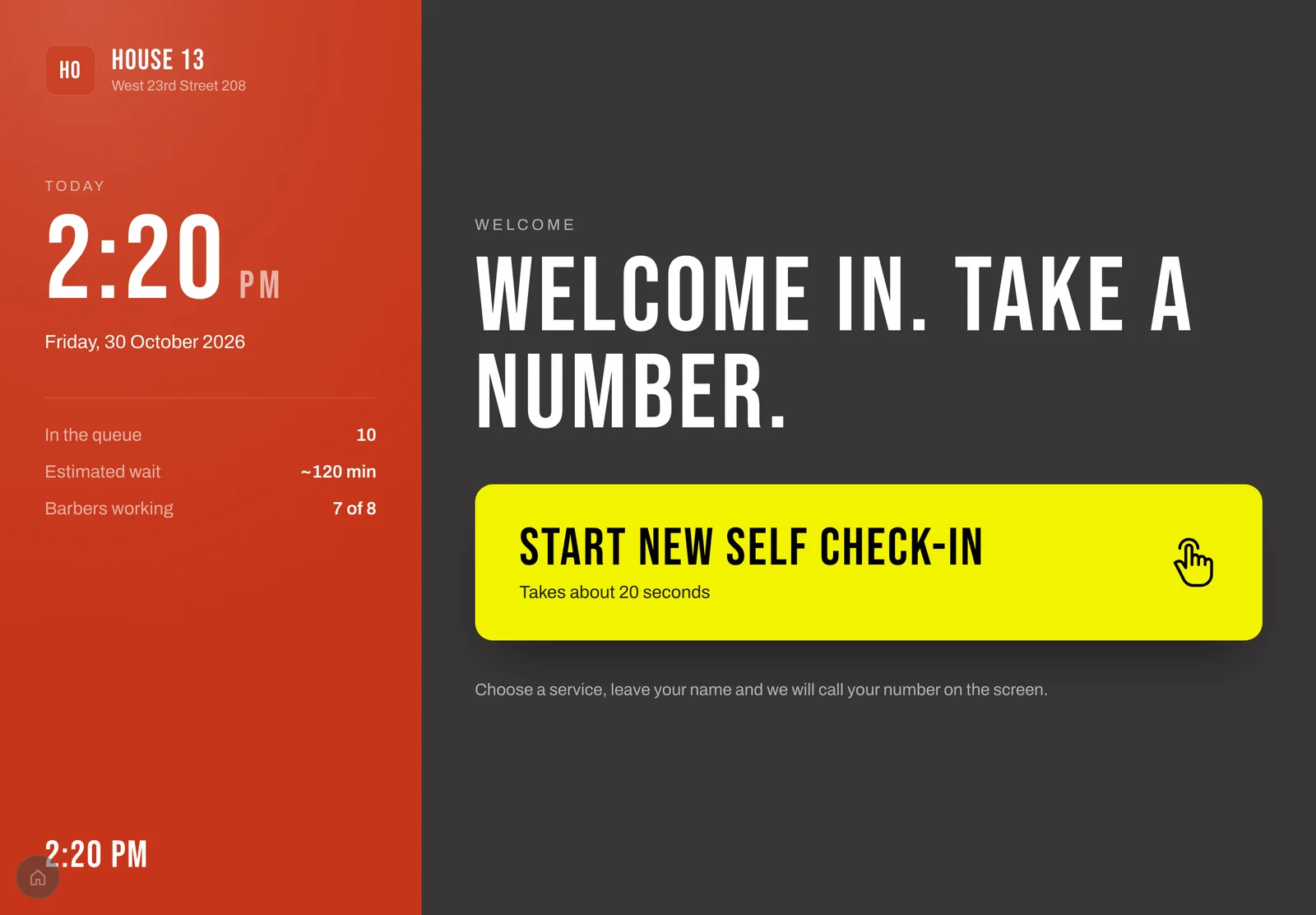
Your shop's colours and logo
The kiosk feeds the queue screen and the appointment board. Clients see their number, barbers see who is next.
Self check-in, the walk-in queue and the waitlist come with every Barberly plan. Set up any tablet as a kiosk in a few minutes.
Compiled from the most common inquiries received by our support team
No. The kiosk runs on any modern iPad or Android tablet you already have.
No. The kiosk is for check-in only. Payment happens at checkout with your normal Barberly POS.
A number on the screen, how many people are ahead and the estimated wait. A QR code opens the ticket on the phone, where the client can sign up for updates by email or SMS.
In the ticket queue the client gets a number and waits for it. In the next free time mode the client picks a barber and a free time today and comes back at that time.
Yes. Pick a theme and set your colours, logo, fonts and the texts on every screen in the portal.
The kiosk is available in the same languages as Barberly. You choose the language in the portal.
Yes. Changes in the portal appear on the kiosk, the queue screen and the board right away.
Access every Barberly feature free for 30 days. No credit card required.