A deposit or a card at booking protects your day from no-shows. It also puts a payment step in front of the client who has come in every three weeks for years and has never missed a visit.
Barberly now lets you keep one payment rule and treat some clients differently. Regulars book without paying. New clients, and clients with a no-show or a late cancellation, pay a deposit or add a card. You set it once in the portal, under Payments → Configure payments → Payment rules, and it applies to every booking in your app and on your website.
The pictures below show a sample shop. All names and numbers are invented.
One rule, three clients
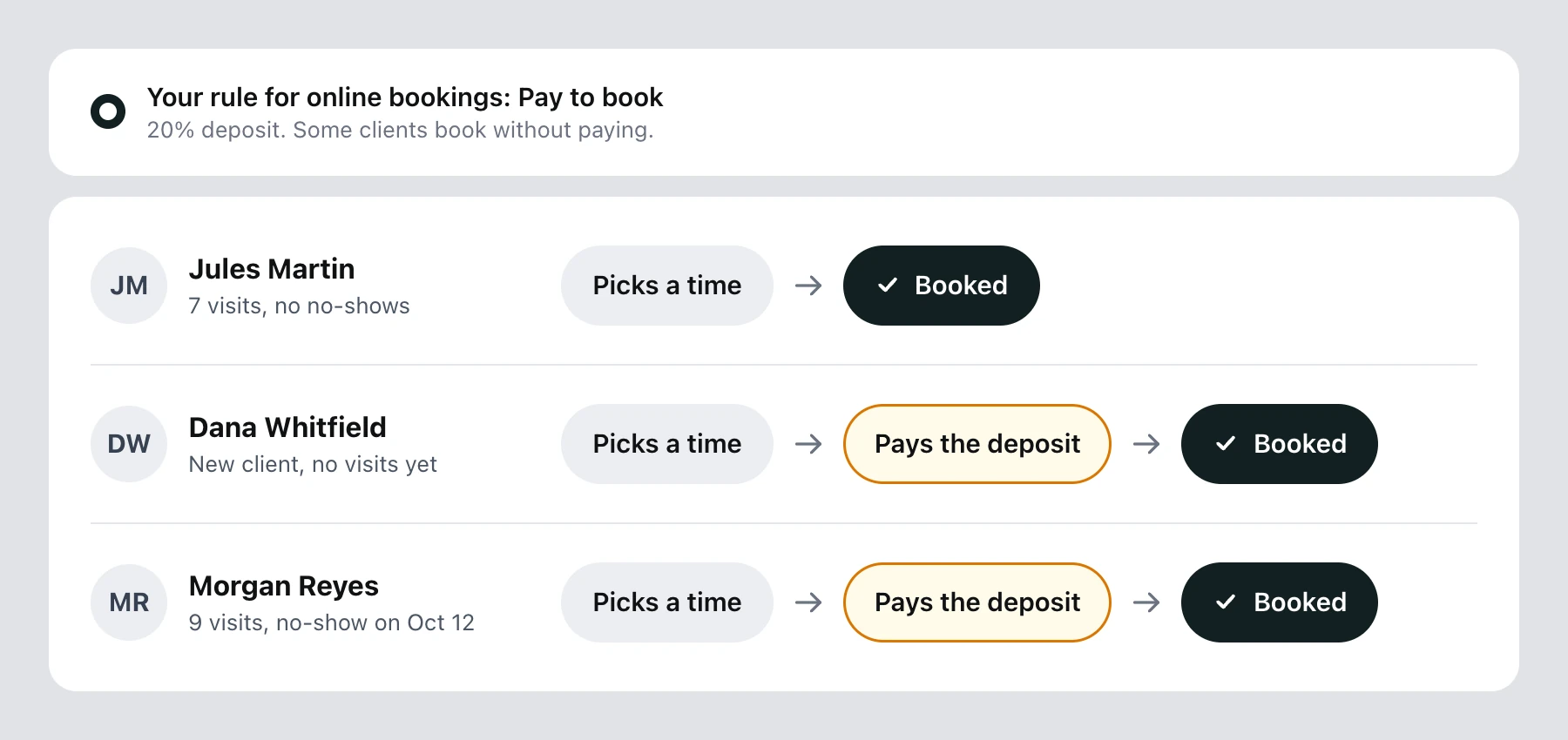
The sample shop takes a 20% deposit with Pay to book. The owner switched on Some clients book without paying for clients with 5 visits or more and no no-show or late cancellation in the last 12 months.
- Jules has been in 7 times and has never missed a visit. Jules picks a time and the visit is booked.
- Dana is a new client. Dana picks a time, pays the deposit and the visit is booked.
- Morgan has been in 9 times and did not show up on Oct 12. Morgan pays the deposit as well.
When your rule asks for a payment or a card
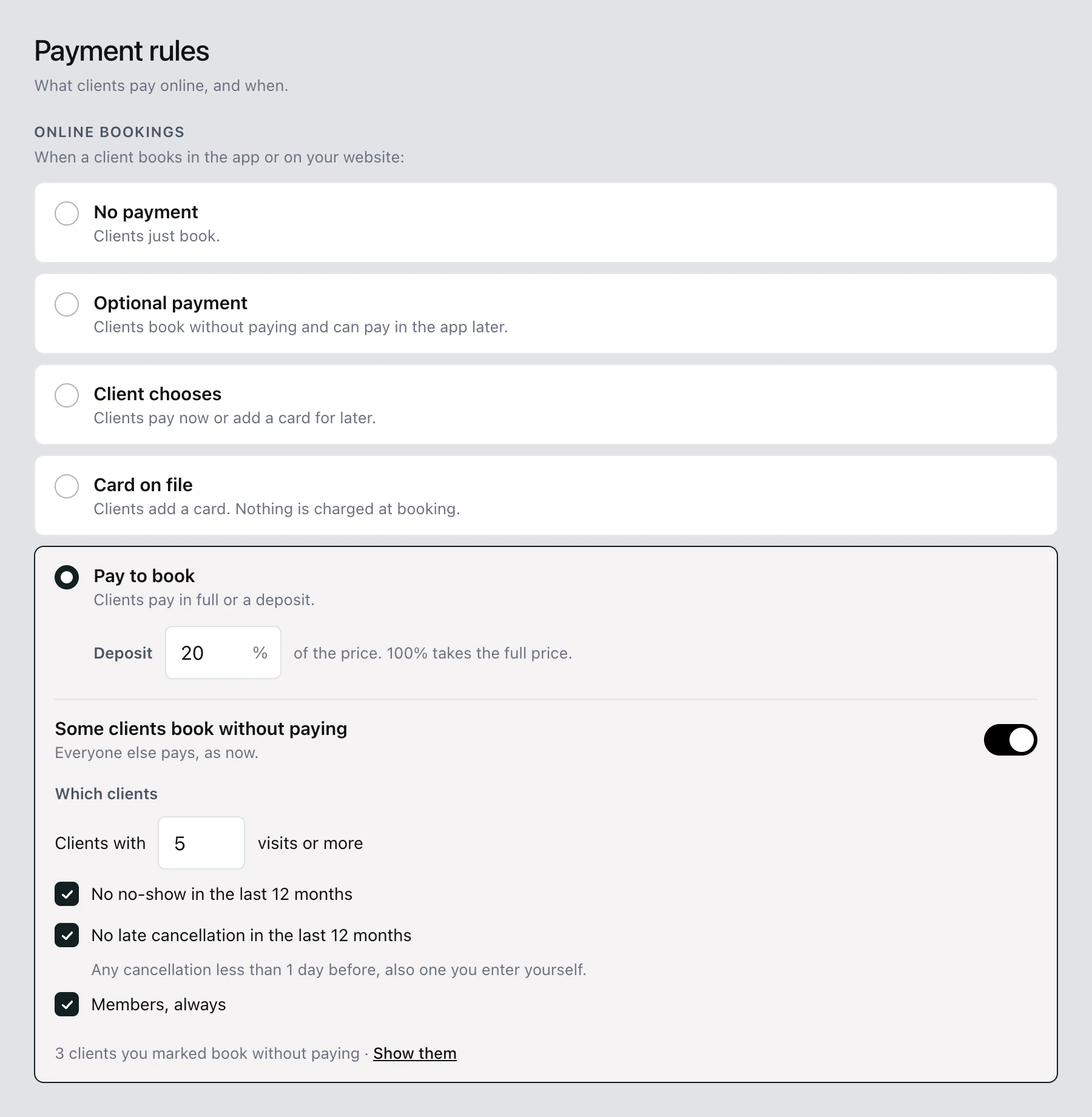
This is for shops on Pay to book, Card on file or Client chooses. Under your option, switch on Some clients book without paying and choose which clients:
- Clients with 5 visits or more. You enter the number of visits.
- No no-show in the last 12 months.
- No late cancellation in the last 12 months. A late cancellation is one that came later than your cancellation notice.
- Members, always. With this ticked, clients with an active membership always book without paying.
A client who meets your conditions books with no payment step and can still pay in the app later. Everyone else pays or adds a card, as now.
When clients book without paying today
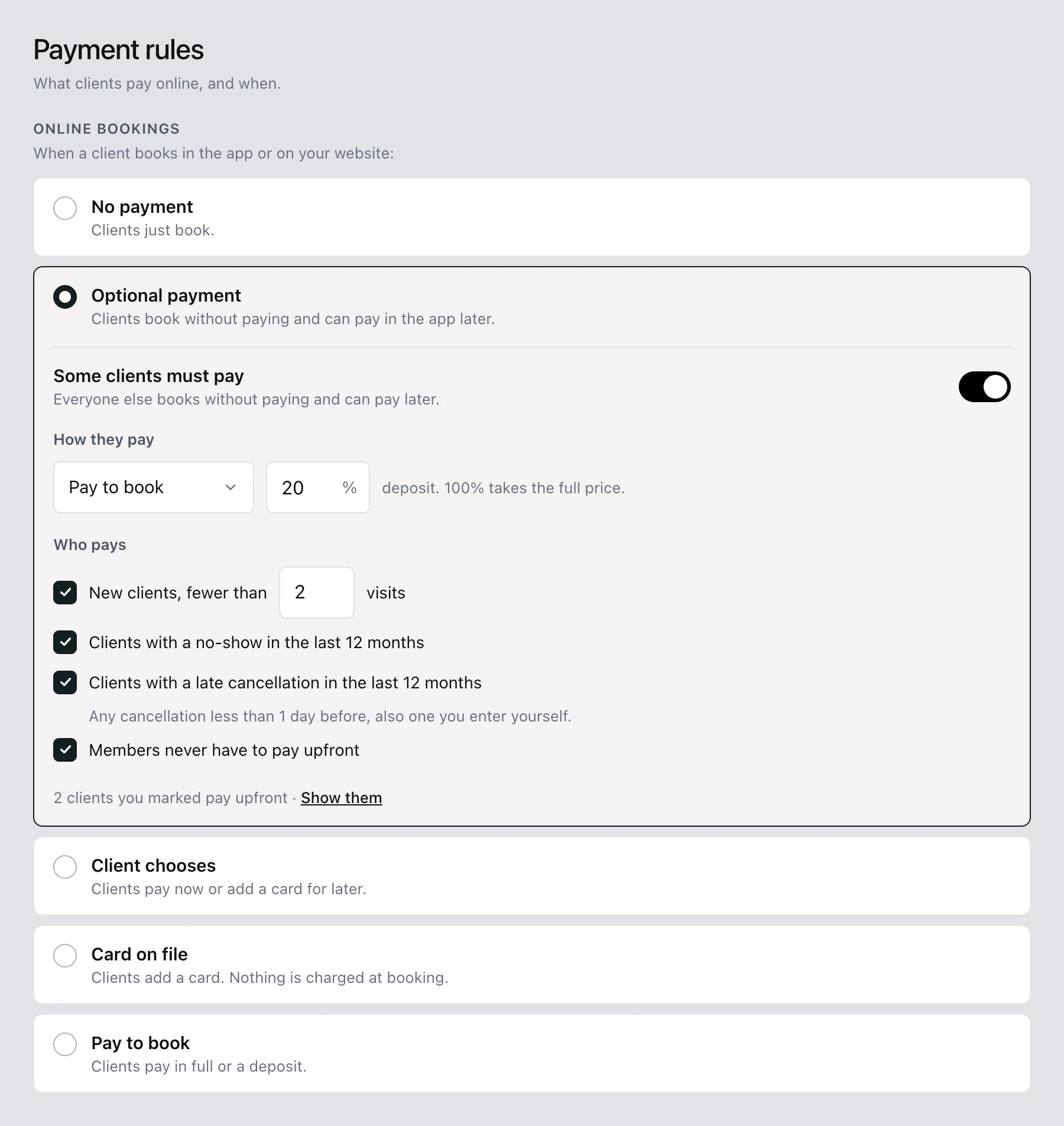
Shops on Optional payment set it the other way round. Switch on Some clients must pay, then choose how they pay and who pays:
- How they pay. Pay to book with a deposit or the full price, Card on file or Client chooses.
- Who pays. Tick new clients with fewer visits than the number you enter, clients with a no-show in the last 12 months and clients with a late cancellation in the last 12 months.
- Members never have to pay upfront. This box is ticked to start with.
Everyone else books without paying and can pay later, as now.
Your call for any client
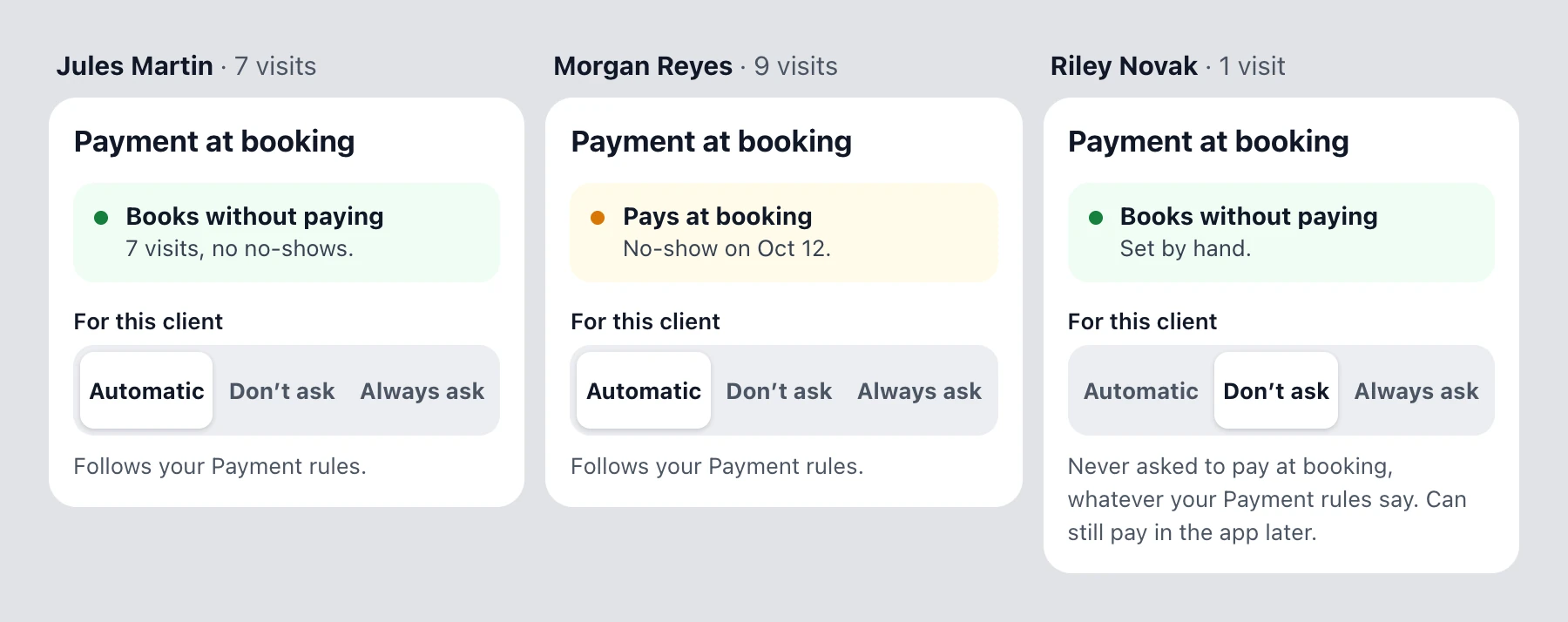
The client card in the portal has a new block, Payment at booking. It shows what this client does when they book and the reason, for example 7 visits, no no-shows. or No-show on Oct 12.
Under For this client you choose:
- Automatic. The client follows your Payment rules.
- Don't ask. The client is never asked to pay at booking. Use it when a no-show was entered by mistake, or for a client you know well.
- Always ask. The client always pays at booking.
The choice is saved at once. In Payment rules, a line shows how many clients you marked, and Show them opens the list.
What your clients see
Clients who pay see the payment step they know. Clients who book without paying go from choosing a time straight to booking, with no payment step. It works the same in your app and on your website, and there is nothing for clients to update.
Three ways to set it up
- A deposit for the first visits. Keep Pay to book and let clients with 3 visits or more book without paying.
- A card from everyone except regulars. Keep Card on file and let clients with a few visits and no no-shows book without adding a card.
- A deposit only after a no-show. Keep Optional payment, switch on Some clients must pay, untick new clients and tick clients with a no-show.
Payment at booking for some clients is part of every Barberly plan. It builds on the payment rule you already have, and nothing changes for your clients until you switch it on or mark a client.
Read more on the payments page. The steps are in the help center: Payment at booking for some clients.